What it measures
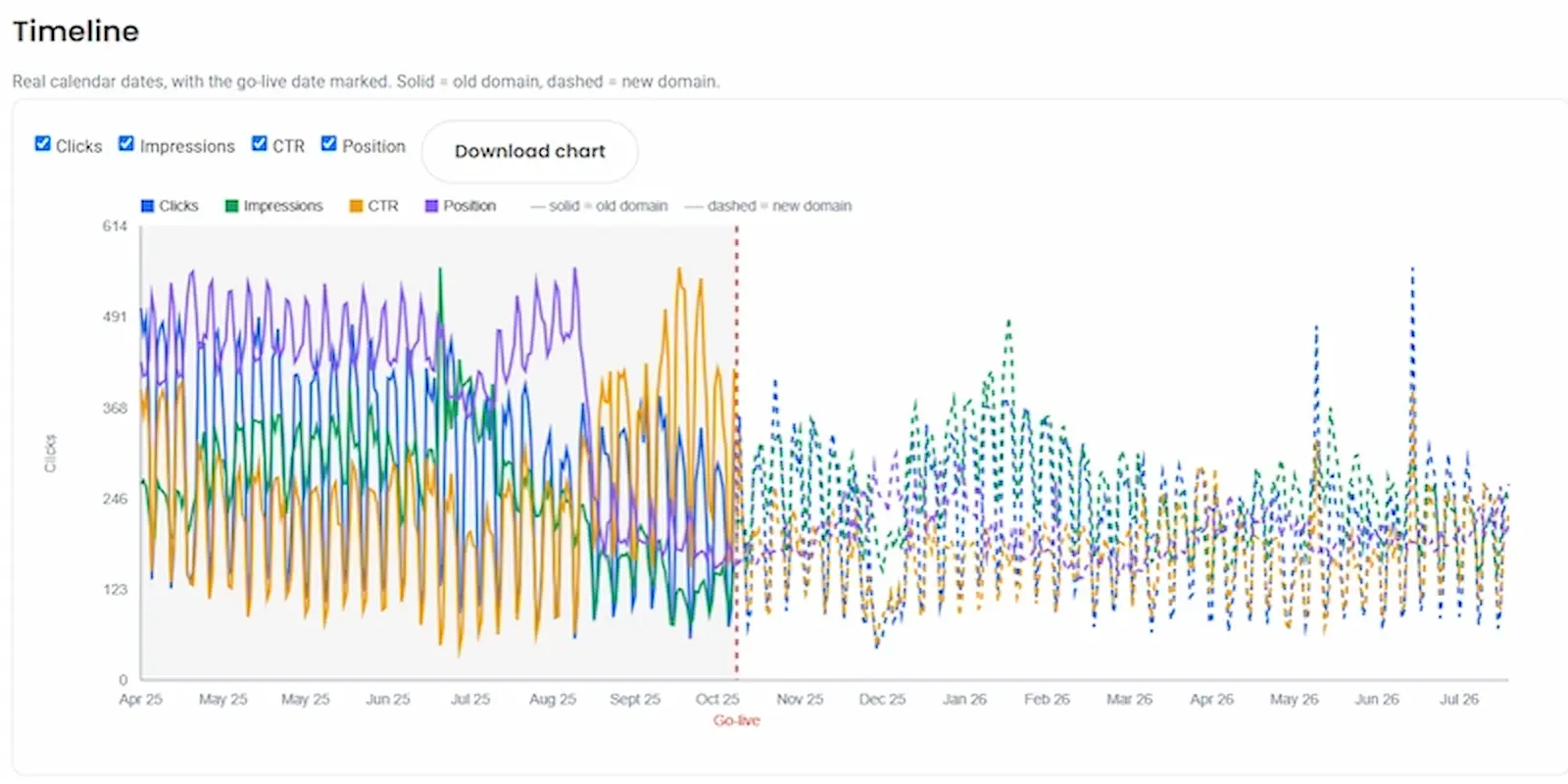
There are four numbers every migration pretty much boils down to - clicks, impressions, click-through-rate and average position. The Ultimate Migration Tool helps you to see how your migration has performed, whether that's a domain migration, CMS change or a reskin. The handy timeline shows you the progress of your website migration side-by-side so that you can easily see the before and after.
Clicks
Before vs after, day by day, aligned on the go-live date for easy viewing.
Impressions
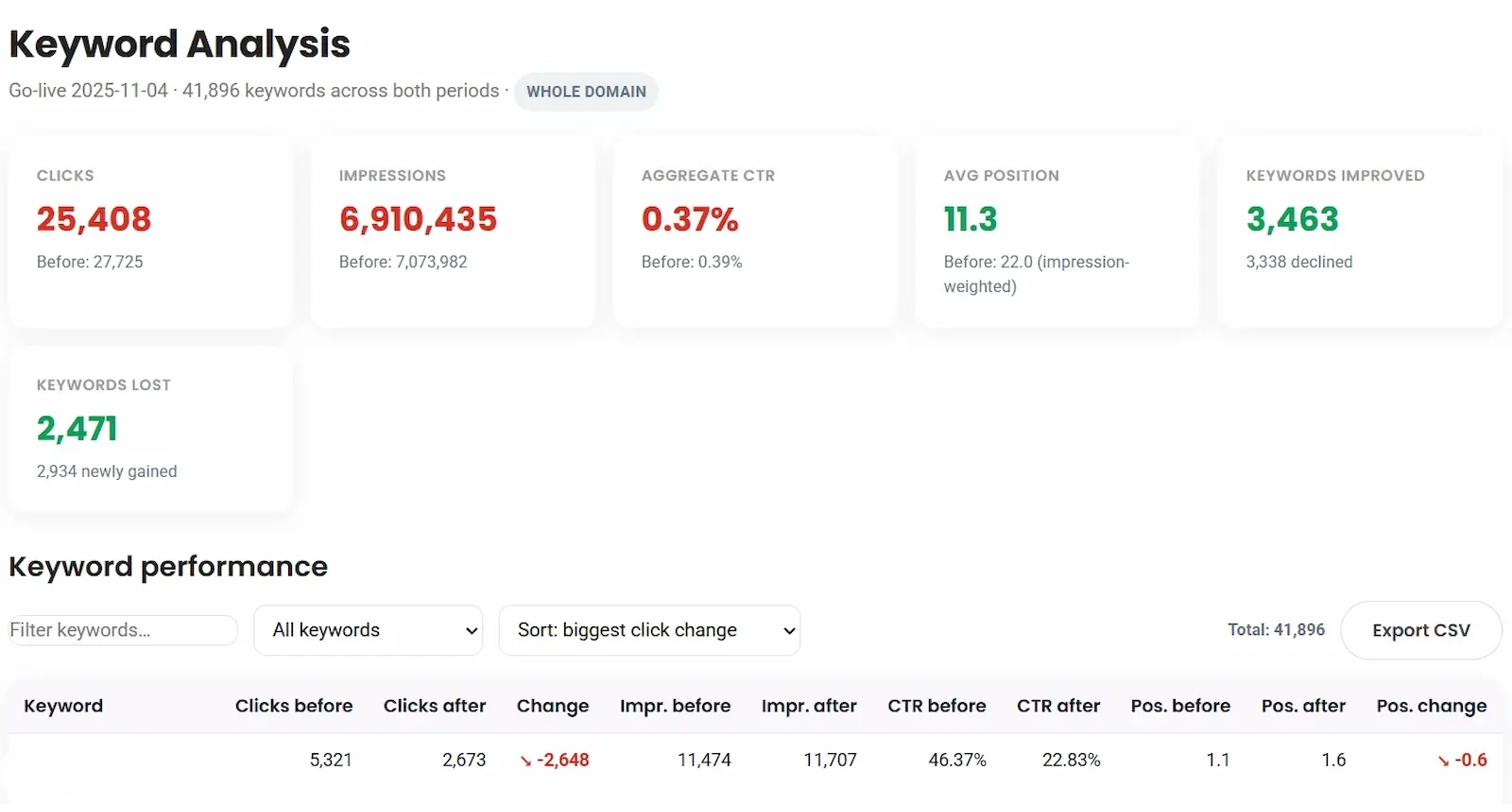
Visibility of how the migration has performed with keywords, pages and more.
CTR
Real aggregate: clicks ÷ impressions, never an average of averages.
Position
Impression-weighted, so low-traffic pages can't flatter the average.
How it works
The Ultimate Migration Tool runs on our server, with read-only access to your Google Search Console for accurate analysis.
1.
Connect to Tool
Sign in with Google. We use read-only access only as this tool can never modify a property, and your credentials never reach the browser.
2.
Map URLs
Upload a CSV of the old URL to the new URL. Skip for a domain-level comparison, or add it for page-by-page accuracy and full migration analysis.
3.
Collect Data
Wait for a few moments while we gather the data from Google Search Console. Currently limited to maximum of 5,000 URLs per migration.
4.
Migration Analysis
You get 4 migration reports: main comparison, keyword performance, page-by-page redirects & a migration health dashboard.
Works for any kind of migration
Not just for domain changes, the Ultimate Migration Tool analyses anything that alters your URLs or shifts your Google Search Console data.
-
Same-domain changes
Site reskins, CMS migrations, URL restructures, or an HTTP to HTTPS move, it's all tracked with the same tool. -
Domain-to-domain migrations
A ccTLD move like .co.uk to .com, or a full rebrand from one company domain to another. -
Exact URL matching
http vs https and www vs non-www are treated as genuinely different URLs. -
Verified, not guessed
Redirects are checked against a real crawl import, and CTR is a true aggregate, not an average of averages.
Main comparison
Before/after totals & timeline chart.
Health dashboard
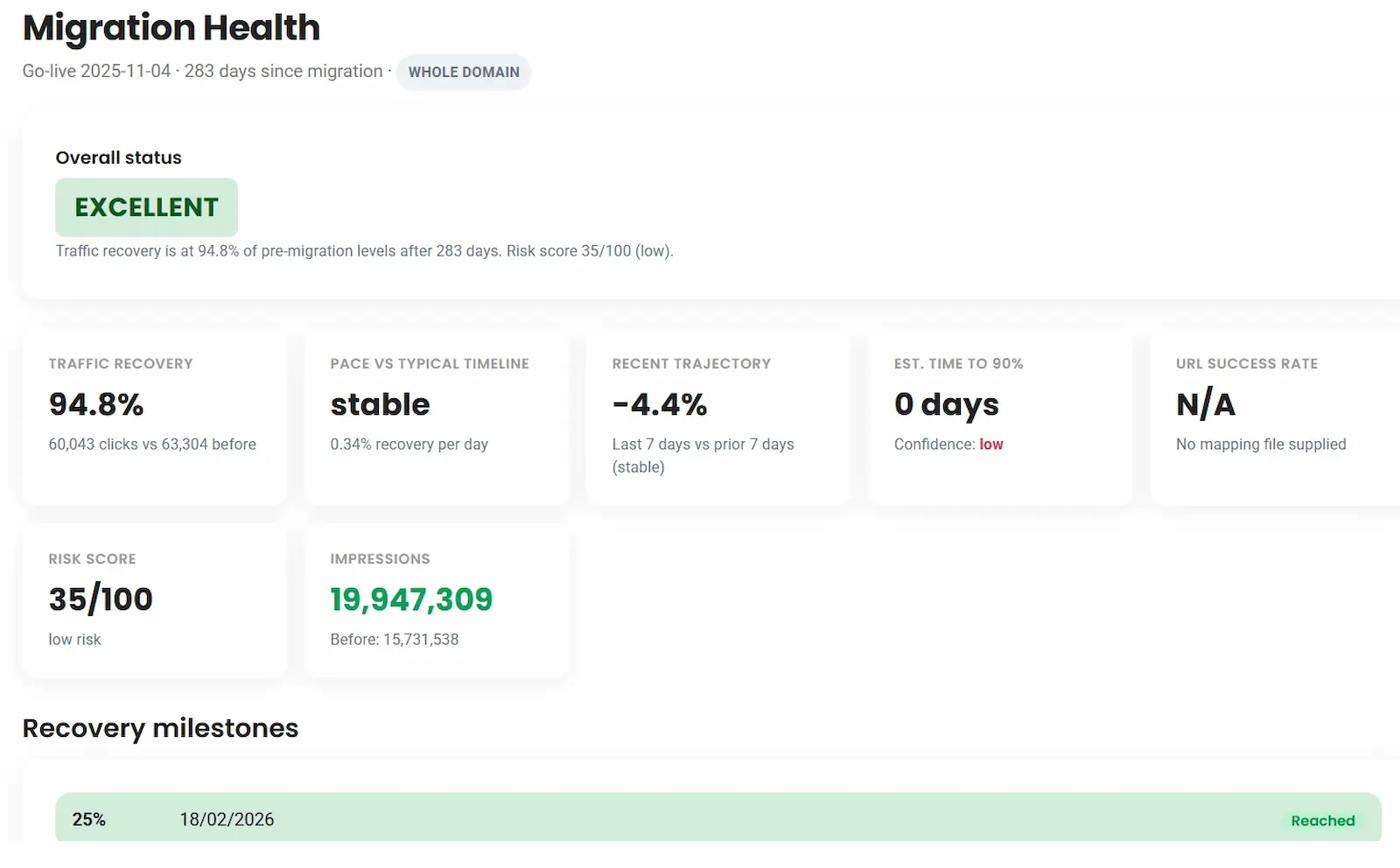
Recovery projection & risk scoring.
Everything a migration audit needs
Built specifically for the client questions a domain or site migration raises. Best of all, you can tell your manager it was free!
Two Overlay Comparison Charts
Before/after totals, an aligned overlay chart, and a real-calendar timeline with the go-live date marked.
Keyword-Level Analysis
Which queries improved, declined, or disappeared entirely after the move.
Page vs Page Analysis
URL-by-URL migration status, with redirects verified against an imported crawl.
Server-Side Collection
Runs on our server, not your computer. With read-only Google Search Console access meaning your credentials never reach the browser.
Exact URL Matching Logic
http vs https and www vs non-www are treated as genuinely different URLs, not merged.
Redirect Verification Via Crawl
Import a Screaming Frog crawl to verify every redirect chain against your URL mapping.
Health Dashboard
Recovery timeline projections and a risk score with prioritised recommendations.
CSV Export
Every report exports cleanly for client presentations and further analysis.
PDF Export
Download a PDF of the whole page for reporting or sending to clients or managers.